Improving IT administration by automating tasks across entire device fleets with a cross platform solution that simplifies configuration and management through command line operations.
Roles & Responsibilities:
Product vision, UX Design
Collaborators:
David Segura, Kay Song, Lakshmi Jakku, Sumanth Kunisetty +23
Product vision, UX Design
Collaborators:
David Segura, Kay Song, Lakshmi Jakku, Sumanth Kunisetty +23
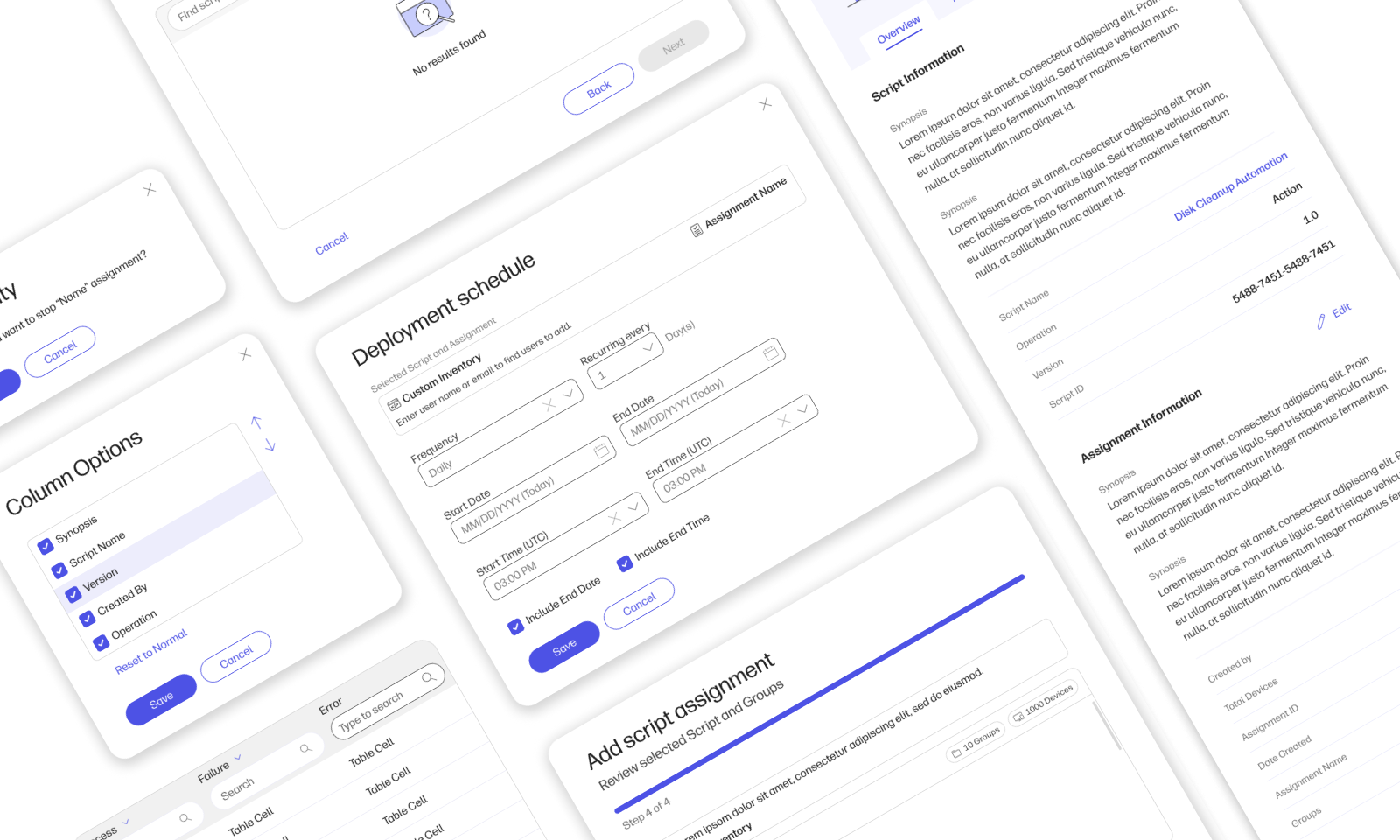
The Problem
On the Workforce Experience (WEX) platform team at HP, we faced a recurring issue: despite the success of Recommended Actions, IT admins often struggled to find solutions for less common or highly specific scenarios. This limitation forced many admins to revert to manual processes, which were time-consuming and increased operational inefficiencies.
As a key contributor to the team and leading the UX efforts for this project, I recognized the opportunity to address this gap.
The Opportunity
Through my user research and stakeholder discussions, I identified that IT admins needed a flexible tool to:
— Automate repetitive tasks across multiple devices.
— Customize solutions to address unique challenges.
— Streamline device management with an intuitive and centralized experience.
These insights became the foundation for the Scripts feature, a solution designed to combine functionality and simplicity, allowing admins to create tailored workflows with ease.
Business Goals
The project aimed to achieve:
— A June launch with a fully functional and tested solution.
— Enhanced customization options for admins, improving adaptability to diverse scenarios.
— A 10% increase in platform revenue, contributing $1.2M annually.
My role as the UX Lead was to ensure that user needs aligned with these goals, guiding the design process from ideation to implementation.
Understanding Scripts and Why We Chose This Approach
While Recommended Actions effectively resolved straightforward IT issues like driver updates, it struggled with complex and unique scenarios that required customization. For example, IT admins often needed to configure security settings across specific device groups or address application specific issues tasks that Recommended Actions couldn’t handle.
Initially, we considered building a robust platform called Workflow, designed to automate multi step, tailored processes. However, the scope of such a project within a three month timeline posed high risks and resource challenges. To address this gap efficiently, I proposed an MVP solution: Scripts. This feature would allow admins to create, upload, and deploy custom PowerShell scripts, solving problems Recommended Actions couldn’t address while validating the concept for future expansion.
What Is Scripts?
Scripts provides IT admins with the flexibility to automate specific tasks and deploy them across multiple devices. Unlike preconfigured shortcuts in Recommended Actions, Scripts empowers admins to design their own solutions, such as running a custom disk cleanup or configuring devices for security compliance all at scale.
Learning and Collaboration
As a designer with limited prior knowledge of PowerShell, I took the initiative to learn independently, researching PowerShell basics and speaking with IT admins to understand their workflows. I also collaborated with developers to ensure the technical feasibility of the design. These efforts enabled me to craft a user-centric solution that addressed a critical gap, all while remaining achievable within our constraints.
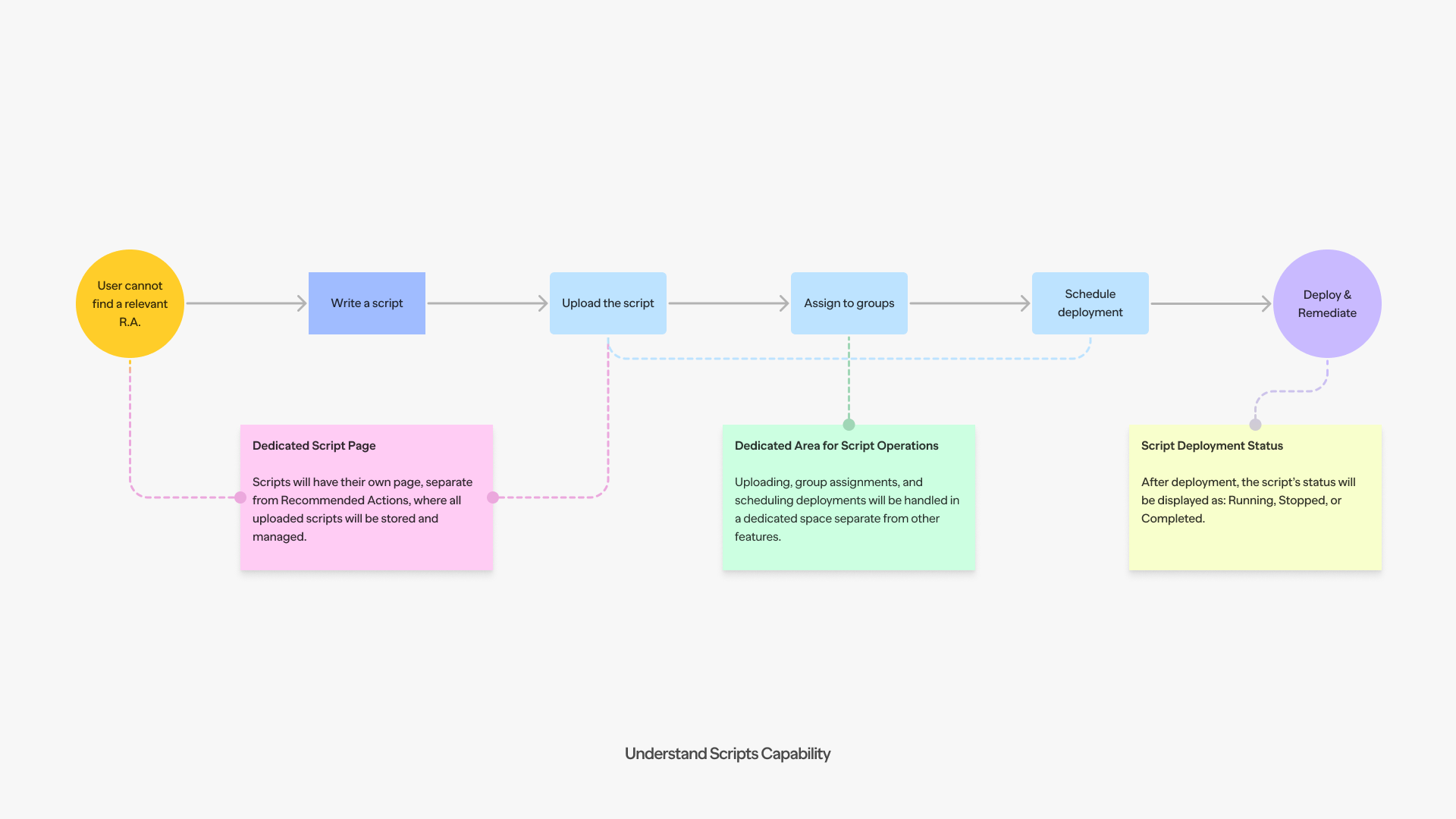
Scripts Breakdown
Through my research and discussions with IT admins, I found that scripts are widely used for highly specific, repetitive tasks, such as automating security updates or configuring device settings, but existing tools often lacked the organization and scalability needed to manage them efficiently. This insight shaped the foundation of the Scripts feature and guided its structure.
1. Dedicated Script Page
A centralized repository where all uploaded scripts are stored and managed. By keeping this page separate from the Recommended Actions feature, IT admins can easily locate and organize their scripts without distraction.
2. Script Operations Area
A dedicated workspace designed for critical actions such as uploading scripts, assigning them to specific device groups, and scheduling deployments. This separation ensures a streamlined process, tailored to the unique requirements of script management.
3. Script Deployment Status
A real-time dashboard displaying the status of each deployed script. Admins can quickly see whether a script is Running, Stopped, or Completed, providing them with immediate feedback on their operations.
Wireframe Development
As the UX Lead, I guided the creation of wireframes that balanced simplicity and flexibility. I outlined the user journey across three key components,
Script Library
A central repository for managing scripts.
Script Operations Area
A dedicated space for uploading, assigning, and scheduling scripts.
Deployment Status Dashboard
A real time tracker showing deployment progress and results.
These early designs helped identify potential issues, such as unclear navigation and workflow complexity.
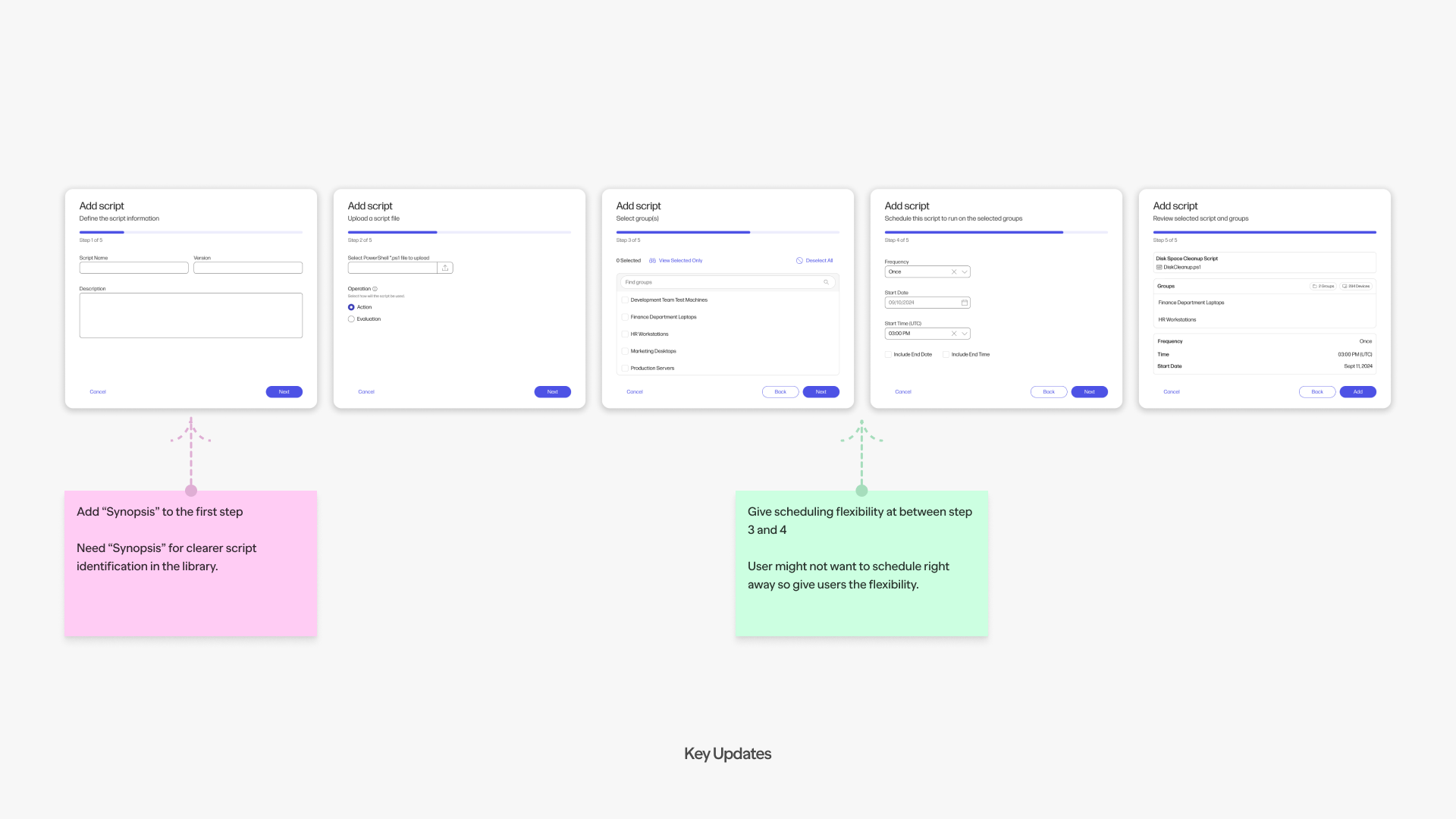
Key Updates Before Beta Release
During the final stages of development, we incorporated several critical updates to refine the Scripts feature and ensure it was both user friendly and robust before the beta release. These updates were based on feedback from usability tests, internal reviews, and stakeholder input:
1. Enhanced Script Descriptions
To improve clarity and usability, we added a Synopsis field to the script creation workflow. This allowed IT admins to provide a concise overview of each script’s purpose, making it easier for teams to manage and reuse scripts effectively.
2. Flexible Scheduling Options
Based on user feedback, we introduced more flexible deployment scheduling. Instead of requiring immediate execution, admins could now schedule deployments at specific times, offering greater adaptability for different workflows.
These updates not only addressed key usability concerns but also strengthened the overall functionality of the Scripts feature, setting the stage for a successful beta release.
Crafting the Solution
The final design incorporated key features to enhance usability,
Dedicated Script Page
A centralized location for storing and managing uploaded scripts.
Script Operations Area
A wizard based workflow for uploading, assigning device groups, and scheduling deployments.
Deployment Dashboard
A status tracker to give admins clear visibility into their operations.
To ensure a smooth user experience, I collaborated closely with developers to refine the interface, aligning it with technical constraints while advocating for user needs.
User Achievements with Scripts
Through the Scripts feature, the IT admins are able to significantly improve efficiency and effectiveness in their workflows. Key accomplishments achieved by users included,
Automating Disk Cleanup Across Device Groups
Tasks that once required manual intervention for individual devices could now be automated for entire device groups, saving hours of repetitive work.
Rapid Remediation
Admins successfully remediated 150 out of 284 devices in just seconds, showcasing the scalability and speed of the solution.
Reduced Manual Workload
By automating routine tasks, admins freed up valuable time, allowing them to focus on higher priority initiatives and strategic responsibilities.
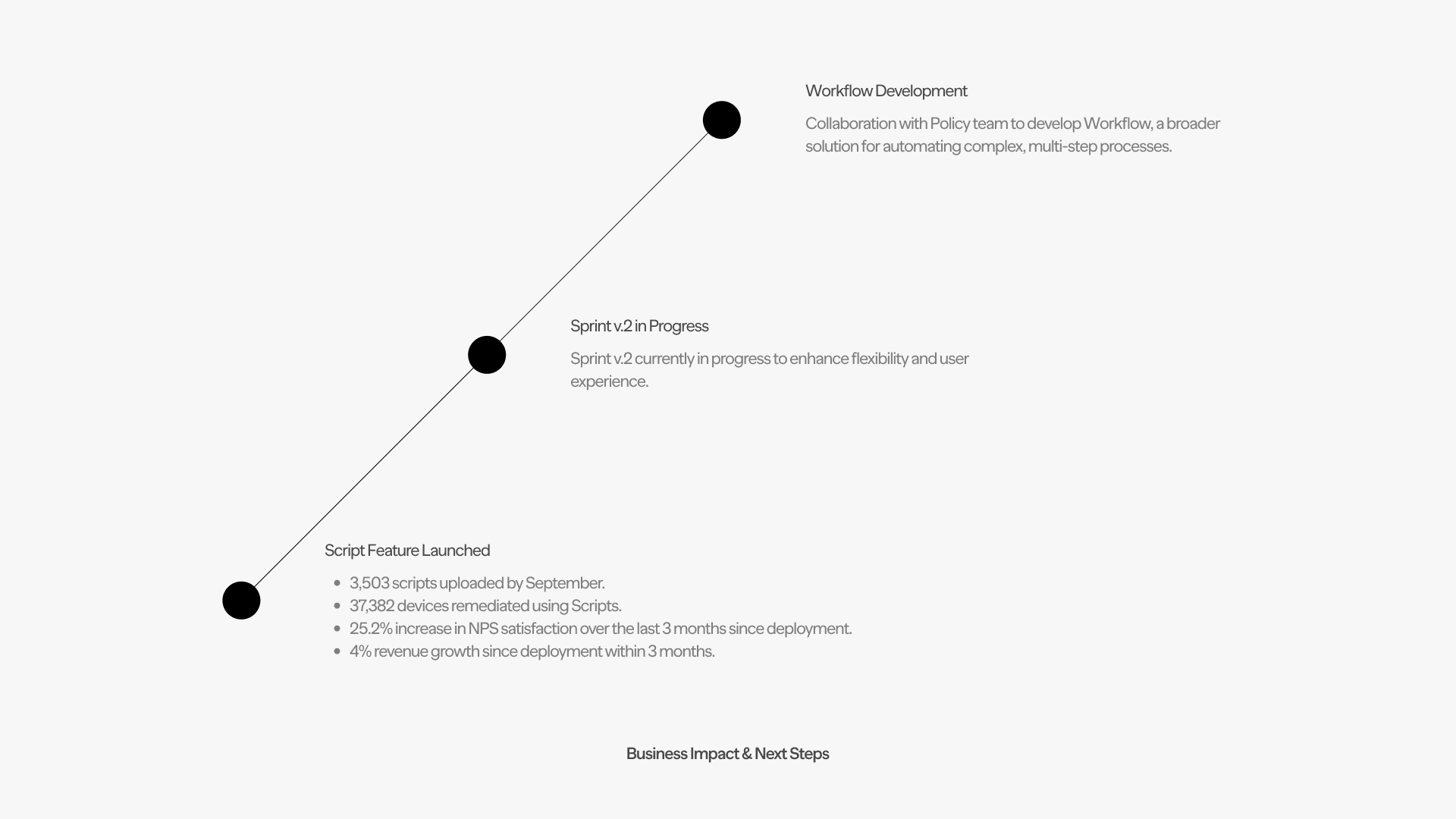
Impact and Results
The Scripts feature delivered significant value, both to users and the business,
3,503 scripts uploaded by September, enabling IT admins to remediate issues across 37,382 devices.
25.2% increase in NPS, reflecting improved user satisfaction with device management workflows.
4% revenue growth within three months, surpassing initial projections.
HP Veneer Design System
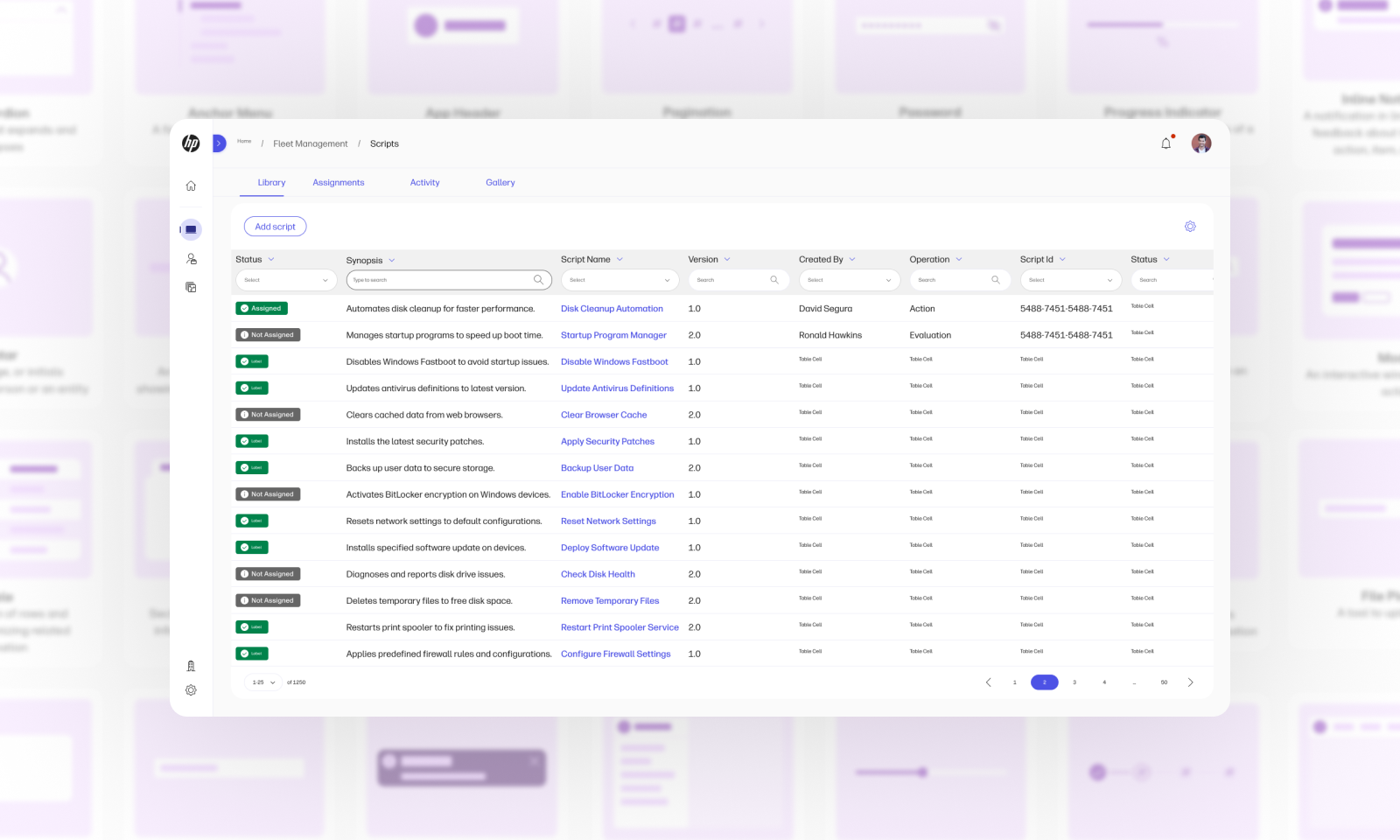
The Scripts feature was built using HP’s Veneer Design System, a toolkit of reusable components that made it easy to assemble user flows and bring ideas to life quickly, while ensuring the design stayed consistent with HP’s ecosystem.
When the project required functionality that Veneer didn’t already support, I collaborated with the team to design new components from scratch, ensuring they worked seamlessly for both the project and the system. Veneer wasn’t just about efficiency, it allowed us to solve user problems effectively while contributing back to a system others could also benefit from.